Introduction
Beplus Site Assistant puts an AI chat assistant on your website. Visitors ask questions in their own words and get answers taken from your actual pages — not from a generic model guessing at what your business probably does.
It is not a scripted chatbot. There is no decision tree to maintain, no list of keywords to keep up to date. You point it at your site, and it reads what is already there.
What it knows
- Your pages, posts and products — the text, not just the titles
- Your custom post types, menus and their links
- Your forms, search, comments and login pages
- Whether WooCommerce is running, and its cart and checkout
- Any extra sources you add — a web page, or a Markdown file you upload
- Company rules you write yourself — opening hours, hotlines, what it may and may not discuss
What visitors see
A floating assistant in the corner of every page, opening into a normal chat window. Answers arrive with the sources they came from, so a visitor can check for themselves rather than taking the answer on trust.
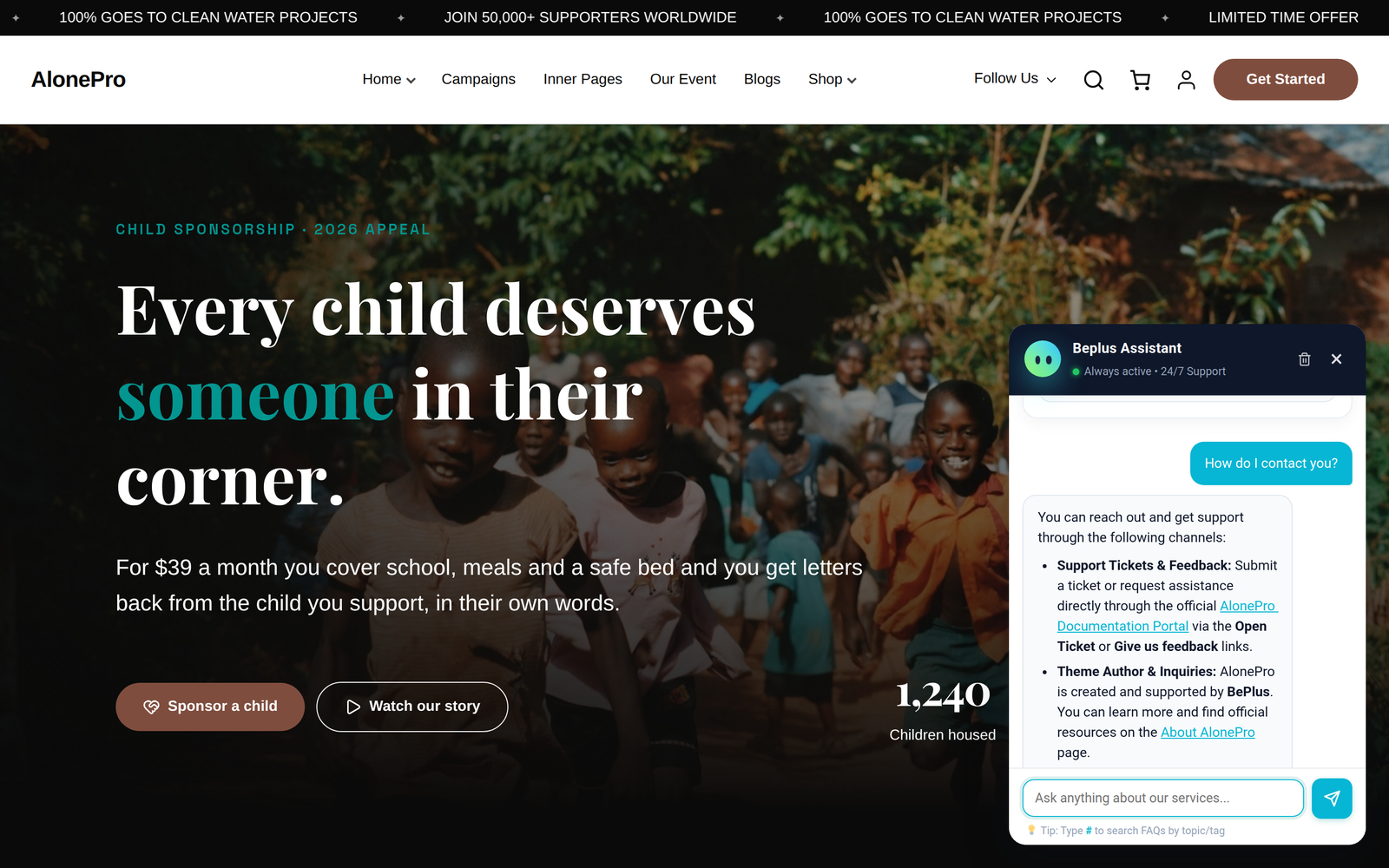
The assistant on a live site: a visitor asks in their own words and gets an answer built from the site's own pages.
What you get on the admin side
| Screen | What it is for |
|---|---|
| Settings | Connect the AI, choose what to index, style the widget, collect leads, set limits |
| Conversations | Every conversation your visitors have had, with transcripts and email delivery |
| SEO Insights | What people actually ask about — and what your site has no page for |
| Embed Script | Put the same assistant on a website that does not run WordPress |
The things people ask first
Does it send my content to an AI provider?
Yes — that is what makes it answer in natural language. You choose the provider. In Custom endpoint mode you paste the address of whichever provider you want, so you decide where your content goes. The plugin itself never sends anything anywhere else.
Can it leak my API key or my code?
No. The key is stored on your server and is never sent to the browser — the settings screen can replace it but cannot show it back to you. The assistant is also instructed to describe features rather than reveal source code or credentials, and it refuses those requests outright.
Where is the conversation data kept?
In your own database. Nothing is deleted automatically, and deleting a conversation is something you do deliberately.
Where to go next
- Never installed it before? Start with Installation.
- Already running? The interesting screen is SEO Insights — it is the one that tells you what to write next.
- Putting the assistant on a non-WordPress site? Go straight to Embed Script.