Embed Script
Embed Script puts the assistant on a website that is not WordPress — a landing page on Vercel, a Next.js marketing site, a plain HTML page, a Shopify store, a Framer site.
The idea
You are not copying the assistant. You are connecting another website to the one WordPress install that owns it.
That matters, because it means there is still only one of everything:
| Kept in one place | Shared by every connected site |
|---|---|
| Knowledge base and index | ✓ |
| AI provider, key and model | ✓ |
| Colours, mascot and wording | ✓ |
| FAQ list | ✓ |
| Lead settings, limits and bans | ✓ |
| Conversations and SEO Insights | ✓ — conversations from every site land in the same log |
So you edit an FAQ once and it changes everywhere. Conversations from your landing page and your main site sit side by side in Conversations, with the page column telling you which was which.
What you do
- Open Site Assistant → Embed Script.
- Type the exact address of the other website and press Add website.
- Copy the script that appears and paste it into that website's footer.
That is the whole job — no proxy to run, no secret to share, no code to edit.
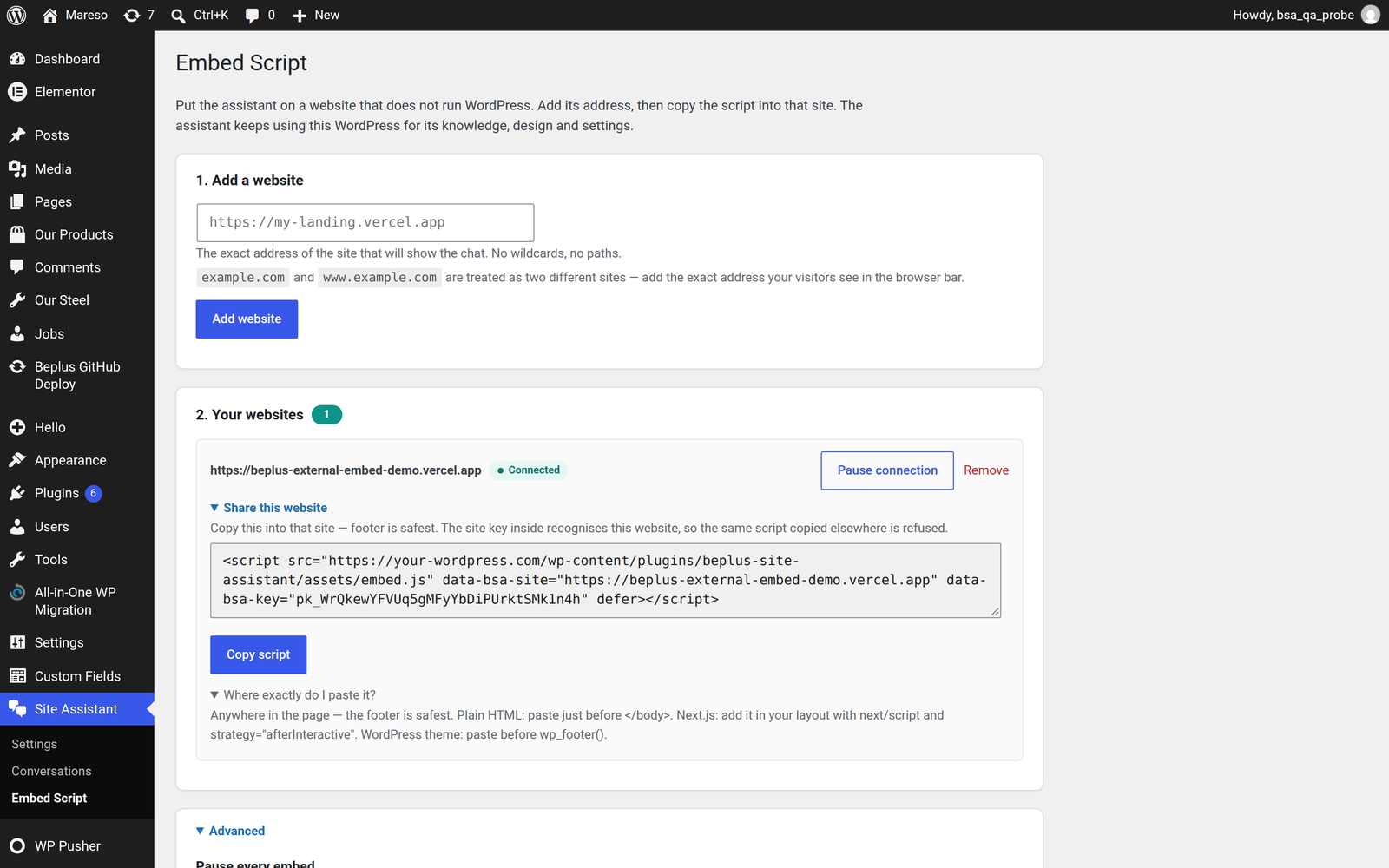
How the connection is protected
Each website you add gets its own public key, bound to that exact address. The key is public on purpose — it travels in the script tag, where anyone can see it. That is safe, because the key alone is useless:
- A key only works for the one address it was minted for.
- Everyone else who copies your script gets refused, because their address does not match.
- Removing a website, or pausing it, kills its script immediately — the script is still on their site, but the request is refused at your end.
🔒 The AI key never leaves your WordPress. The script on the other website carries a public site key and nothing else. It has no access to your AI credentials, and no way to read them.
Read this before you start
Two things cause almost every failed embed, and both are silent — nothing appears on the page, and nothing is logged:
- The WordPress address must be HTTPS. If WordPress is served over plain
http://, browsers block the script on any HTTPS page without telling anyone. → The HTTPS requirement - The address must match exactly.
https://example.comandhttps://www.example.comare two different websites. A mismatch is refused.
The rest of this chapter takes each of these in turn, then walks through every situation in which a site is accepted and every situation in which it is refused — with the fix for each.
If you only read one page
- It is not working and you do not know why → When a site is refused
- You want to know the rules before you start → When a site is accepted