SEO Insights
This is the tab that pays for itself. It reads your conversations and answers two questions no analytics package can:
- What do people actually ask about?
- What do they ask that your site has no page for?
The second one is a list of pages to write, in your visitors' own words.
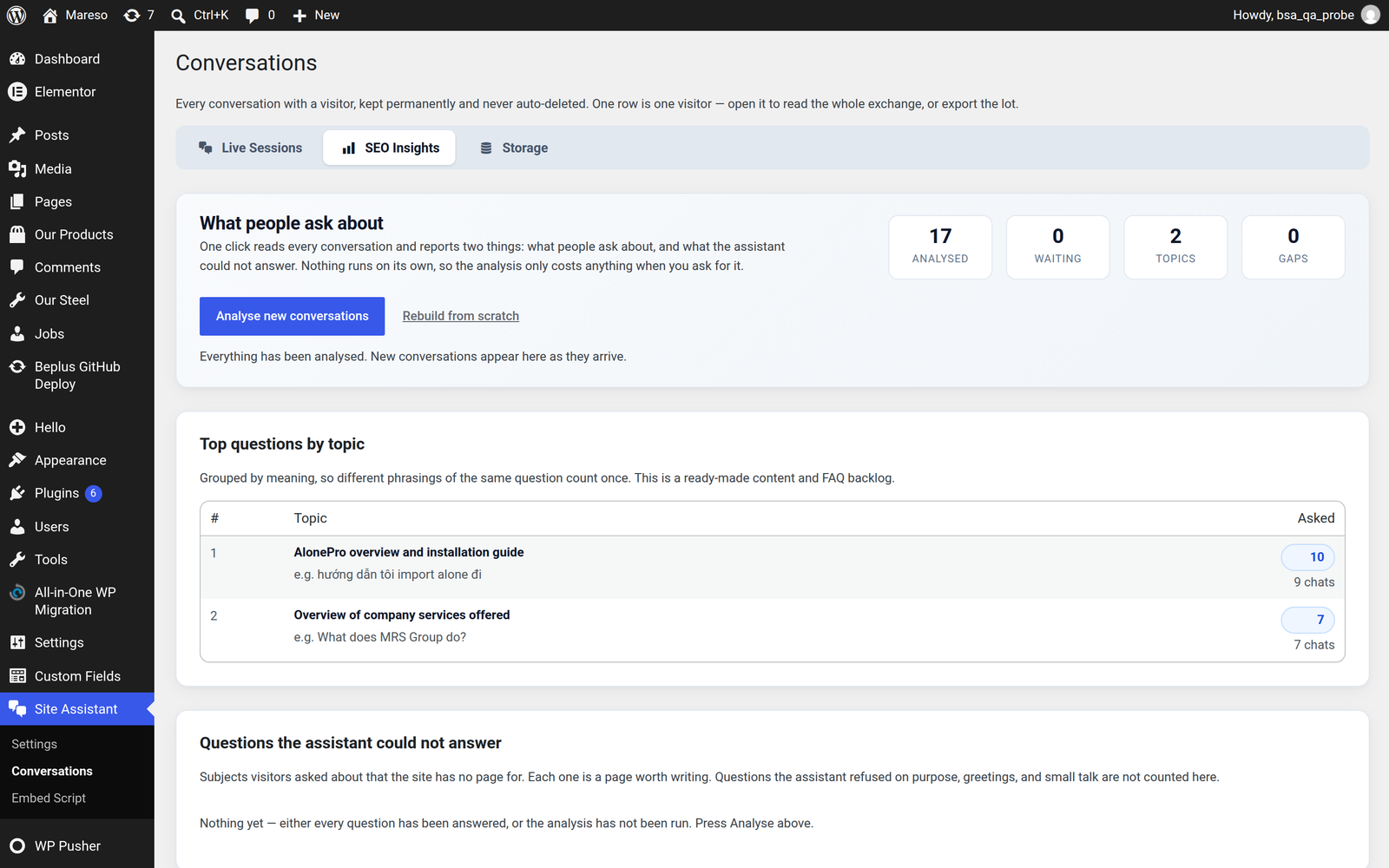
The button
One press of Analyse does all of it. There is no schedule and no background job — nothing is analysed unless you ask.
That is a deliberate choice: analysis costs AI calls, and therefore money. It runs when an administrator wants it, not continuously.
The button tells you what it will do before you press it — "Analyse 12 conversations", or "Analyse new conversations" when there is nothing new. A progress bar shows how far along it is.
A conversation is only ever analysed once
Each conversation is stamped after it is analysed, so the next press looks only at what has arrived since. Pressing repeatedly costs nothing extra. You cannot run up a bill by being curious.
Closing the page halfway through is safe too — the next press carries on from where it stopped rather than starting over.
What the four cards mean
What people ask about
The subjects visitors ask about, grouped by meaning rather than wording.
"How do I install it?", "steps to set it up" and "installation guide?" are one topic with a count of three — not three separate one-off rows. This is what keeps the report readable on a busy site, where hundreds of slightly different phrasings would otherwise bury the signal.
💡 Read this as a content backlog. The most-asked subjects are the ones most deserving of a proper page, even if your site already mentions them somewhere.
Questions the assistant could not answer
The most valuable card on the screen.
It lists the subjects visitors asked about that your site has no page for — "Do you ship to Japan?", "What are your support hours?". Each row is a page worth writing, quoting the visitor's own question.
This is honest by design. It excludes:
- Questions the assistant did answer
- Greetings and small talk
- Questions the assistant was configured to refuse — a refusal is a setting you chose, not a missing page
It works for questions asked in any language, so a site with international visitors still gets a readable gap report.
Top questions by topic
The detail behind the first card — the individual questions grouped under each subject, so you can see the exact wording people used.
Pages that generate the most questions
Which pages visitors were on when they started chatting. Counted directly from the log without the AI, so it keeps updating even when the AI is unavailable, and always reflects the true total rather than an analysis that has not run yet.
If a page generates a lot of questions, the page is either unclear or missing something. Either way it is worth reading.
The counters
Above the cards, three figures tell you how much of the picture you are seeing:
- How many conversations have been analysed
- How many are still waiting
- The total
If "waiting" is a large number, the report is describing only part of your history — press Analyse to bring it up to date.
Rebuilding from scratch
Rebuild throws the existing results away and re-reads every conversation from the beginning.
Use it rarely — when you suspect an earlier run produced something odd, or after switching to a different AI model, which may group things differently. It costs AI calls for every conversation you have, so it is not a button to press casually.
Good habits
- Press Analyse weekly, not daily. Topics do not change fast enough to be worth watching hour by hour.
- Read the gap list as a to-do list. Writing the top three gaps is usually a bigger SEO win than any technical tweak.
- After writing a page for a gap, re-scan the knowledge base so the assistant can answer it. See Knowledge Base — a new page is invisible to the assistant until it has been scanned.
- Export the conversations monthly if you want a long-term record beyond the built-in report. See Conversations.
Related
- Want the raw data behind this report? → Conversations has the export.
- Wondering why a question was not answered? → Knowledge Base is where missing content gets fixed.
- Seeing questions that are not about your business at all? → Security & Limits has the daily budget and the block list.