AI & Model
Everything on this tab decides which AI writes the answers and how much freedom it has.
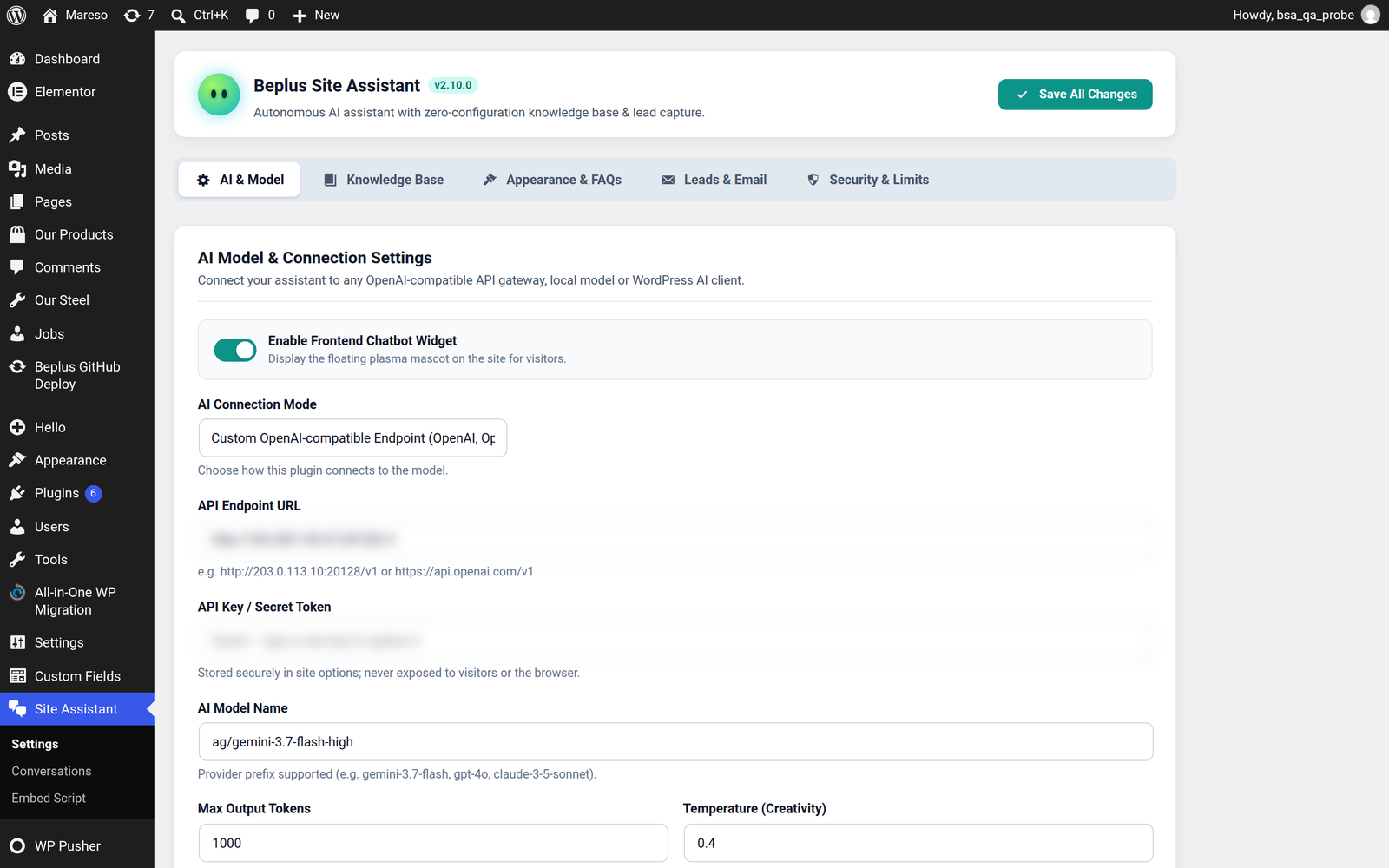
Enable Frontend Chatbot Widget
The on/off switch for the floating assistant on your own website.
Turn it off while you are still setting things up, or if you want the assistant on other websites only through Embed Script. Turning it off does not delete anything and does not affect embedded sites.
AI Connection Mode
Two ways to reach an AI. Pick one — you do not need both.
| Mode | Use it when |
|---|---|
| Custom OpenAI-compatible Endpoint | You have an API key from any provider. The most direct option. |
| WordPress AI Client (Native Connectors) | You already installed a provider plugin under Settings → Connectors and prefer to keep keys there. |
Custom endpoint — the three fields
API Endpoint URL
The base address of your provider, ending at the version part. For example
https://api.openai.com/v1. The plugin appends the rest of the path itself, so
you do not need to paste a full /chat/completions URL.
API Key / Secret Token
Your provider's key.
🔒 Once saved, it is never shown again. You can replace it by typing a new one, but the saved value cannot be read back — not even by you. This is deliberate: the key never reaches the browser, so it cannot be stolen from a page. If you lose it, get a new key from your provider and paste that.
Max Output Tokens
The longest answer the assistant is allowed to produce, measured in tokens (roughly three-quarters of a word each).
- Too low — answers get cut off mid-sentence.
- Too high — a rambling visitor question can produce a long, costly answer.
A few hundred is a reasonable starting point for short, helpful replies.
Temperature (Creativity)
How much the wording varies between answers.
- Low (0 – 0.3) — same question, nearly the same answer every time. Best for factual support: prices, policies, opening hours.
- High (0.8 and up) — more varied phrasing, and more chance of inventing something. Not recommended for a business assistant.
For a support assistant, keeping this low is the right call. Facts should not be creative.
Model
Which model to use. Leave it empty to accept your provider's default.
⚠️ Getting 503 errors? The model you named is overloaded. Naming a different one — often a smaller or a newer model — usually clears it up immediately.
Saving
Press Save AI Settings. Changes take effect on the next question; there is nothing to restart.
To confirm the connection works, go to Conversations → SEO Insights and press Analyse. If it completes and reports numbers, the whole chain — key, address, model — is working.