Leads & Email
Two related jobs: asking visitors who they are, and making sure you get a copy of every conversation.
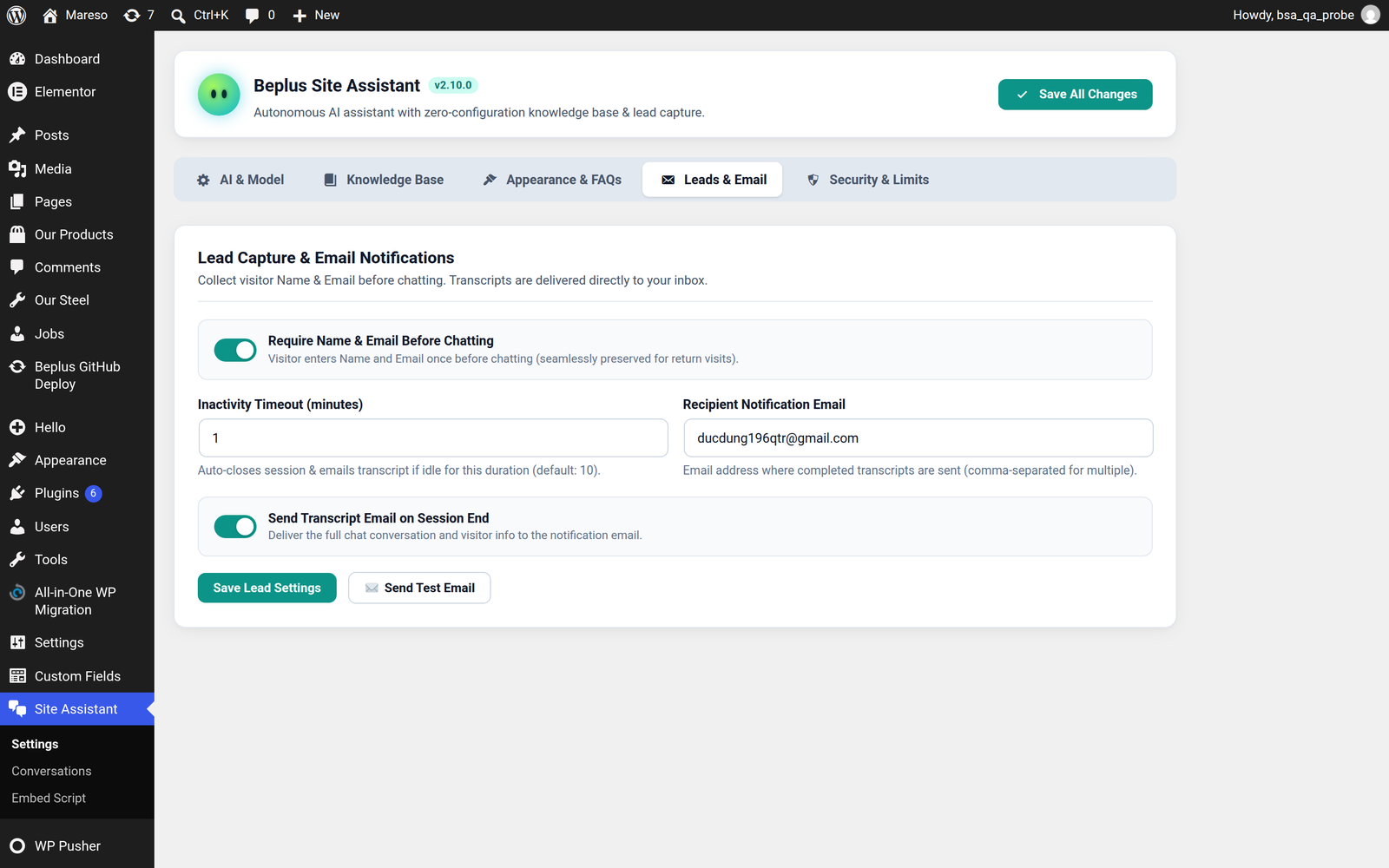
Require Name & Email Before Chatting
Turn this on and the assistant asks for a name and an email address before the first message, through a short start screen.

Why it is worth turning on: a conversation with a name attached is a lead. A transcript that arrives in your inbox with no name is just an interesting question from a stranger.
Why you might leave it off: it is a barrier. Some visitors will close the window rather than type their email. On a site where you mostly want to deflect support questions, asking for an address costs you conversations.
💡 It only asks once. The visitor's details are remembered in their browser, so a returning visitor goes straight into the chat. They are not asked again on every page or every visit.
The visitor's name and email are stored with the conversation, so Conversations shows who you were talking to — not "Guest".
Inactivity Timeout (minutes)
If a visitor stops replying for this long, the session is treated as finished: the transcript is emailed, and the live session closes. Default is 10 minutes.
This is what keeps your Conversations list readable — without it, half-finished chats sit there open indefinitely.
Recipient Notification Email
Where transcripts are sent. Leave it empty and mail goes to the WordPress admin address.
For several people, separate the addresses with commas:
sales@example.com, support@example.com, owner@example.comEach address is checked before sending, and any that is malformed is skipped rather than breaking the whole send. So one typo in a list of three still delivers to the other two.
💡 Send it somewhere a human reads. Transcripts are only useful if someone acts on them. A shared support inbox works better than an address nobody opens.
Send Transcript Email on Session End
The automatic half of the email system. When a session ends — timeout, or the visitor clears the chat — the whole conversation is emailed to the addresses above.
The email contains:
- The visitor's name and email, if the lead form was on
- Every question and every answer, in order
- The page the conversation started on
- When it happened
Turn it off if you would rather read conversations in the admin — they are all still recorded there either way. This setting only controls the email, not the record.
Sending an email by hand
You do not have to wait for a timeout. In Conversations, each row has a Re-send Email action, which sends that transcript immediately. That is the one to use when a visitor asks you to follow up, or when you spot an important conversation after the automatic email has already gone.
Send Test Email
Press ✉️ Send Test Email and the plugin sends a real message to your notification address right away, then tells you what happened.
Always do this once, on setup day. It is the only way to know your site can send mail before a visitor's transcript fails to arrive silently.
If the test email fails
The screen tells you plainly when WordPress could not send, and the usual cause is the hosting, not the plugin.
wp_mail() is WordPress's built-in mail function. It relies on the server having
a working local mail service. Many hosting plans do not have one — shared
hosting in particular — and in that case WordPress reports failure and nothing is
delivered, however the settings look.
The fix is to send through a real mail service instead of the server's own mail system. Install an SMTP plugin and enter the details of a mail account — your hosting provider's mail service, Gmail, or a transactional service such as Brevo, Mailgun or Postmark. Once SMTP is configured, the test email will work and so will every transcript afterwards.
⚠️ The failure is easy to miss. Without SMTP, transcripts stop arriving with no error anywhere in the admin — the conversation is still recorded, so it looks fine. If transcripts have gone quiet, run the test email first.
Quick reference
| What you want | Setting |
|---|---|
| Know who is chatting | Require Name & Email Before Chatting → on |
| Get conversations by email | Send Transcript Email on Session End → on |
| Send to several people | Comma-separated addresses in Recipient Notification Email |
| Close idle chats sooner | Lower Inactivity Timeout |
| Check mail works at all | ✉️ Send Test Email |
| Send one transcript now | Re-send Email on the row in Conversations |